
How to Study for Online Exams at Home: Setup and Practice Tips

Online exams add a layer regular study guides ignore: unstable Wi-Fi, tab overload, and the fridge three steps away. Students searching how to study for online exams, online test tips, or proctored exam prep at home need strategies for content mastery and environment control — not just more highlighting.
This guide covers home setup, digital study workflows, timed practice on your actual device, and how to stay sharp when no proctor is watching until test day.
What makes online exams harder than they look
Same material — different failure modes:
- Attention leaks — notifications, roommates, browser tabs
- Tech friction — login issues, slow uploads, unfamiliar quiz platforms
- Open-note traps — unlimited notes you cannot search fast enough
- Typing bottlenecks — essay exams punish slow keyboard flow
- Camera anxiety — proctoring adds stress that steals working memory
Your prep must rehearse both the concepts and the container.
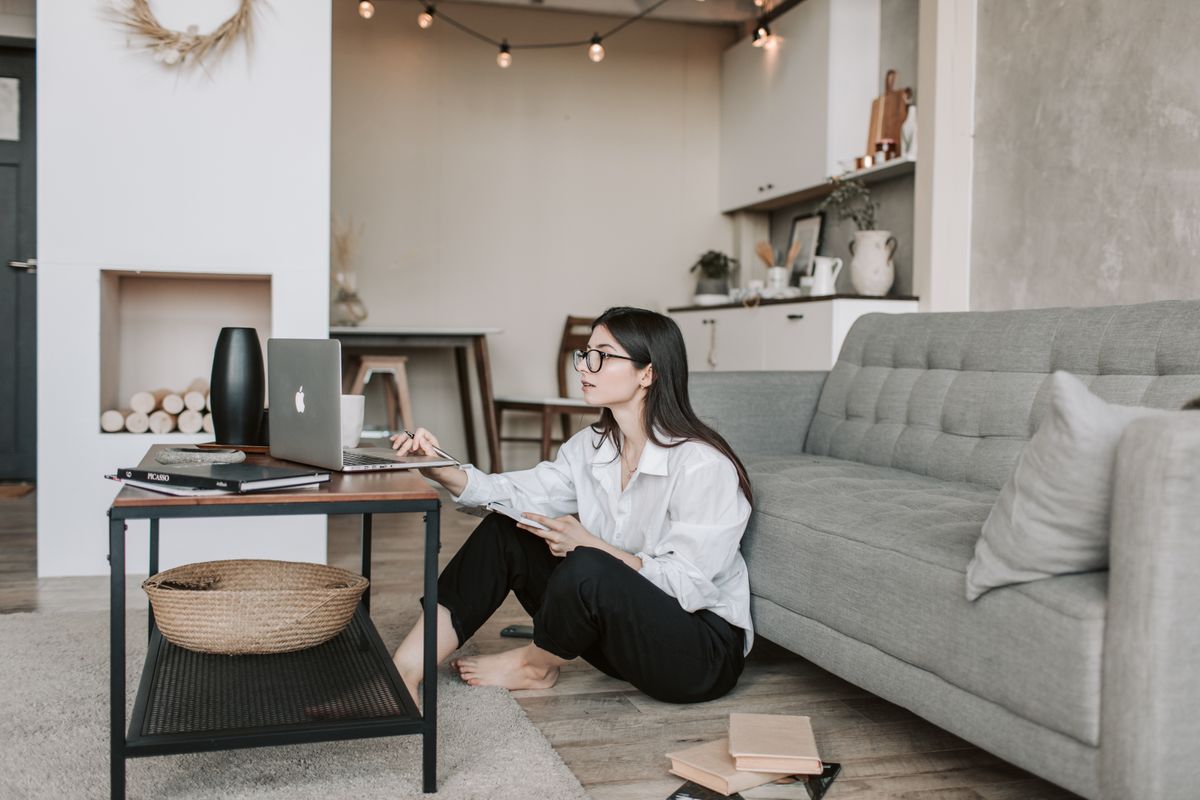
Build a dedicated exam zone at home
One week before the test, fix your environment:
- Same seat, same desk — brain associates location with focus
- Power and internet — laptop charged, ethernet if possible, backup hotspot ready
- Allowed materials only — if open-note, pre-tag PDFs; if closed-book, clear the desk
- Phone out of reach — not on silent in your pocket
- Household rules — literal sign on the door: "Exam in progress until __"
Run two full mock sessions in this zone before the real exam.
Study workflow for online exam content
Phase 1: Map the test format
Read every announcement. Know:
- Time limit and question count
- MCQ vs essay vs mixed
- Open book, open notes, or closed
- Proctoring software requirements
- Whether you can revisit questions
Your practice format must mirror this exactly.
Phase 2: Active recall on your laptop
Online does not mean passive. Daily blocks:
- 25 min — flashcards from lecture PDFs (keyboard flip, no peeking)
- 25 min — timed quiz set matching question style
- 10 min — write three likely essay outlines if applicable

Phase 3: Platform-specific drills
If the exam runs in Canvas, Moodle, or a custom portal:
- Practice navigation — next/back, flag for review, submit warnings
- Practice typing speed — 250 words in 20 minutes for essay courses
- Practice PDF search — if open materials allowed, find terms in under 30 seconds
Day-before and day-of checklist
Day before:
- Confirm exam link, login, and proctoring install
- Sleep 7–8 hours — fatigue hits online tests harder
- Prepare water and snack for breaks (if allowed)
- Lay out ID if proctored
Day of:
- Log in 15 minutes early
- Close every app except the exam
- Read all instructions before answering question 1
- Budget time: easy points first, hard questions flagged
Open-note online exams: speed beats volume
If you can use materials:
- Build a one-page topic index — not a 200-page dump
- Bookmark unit boundaries in PDFs
- Memorize frameworks; keep citations in notes
- Practice finding + applying, not copy-pasting
Pair home prep with Elibro
- Upload lecture PDFs once
- Generate timed quizzes matching your course
- Drill flashcards on weak units between mock sessions
- Use AI chat to clarify misses — still from your materials, not random web answers
Digital exam prep should live on the same device you will test on.
Frequently asked questions
How do I reduce distractions during online exams at home?
Use the same chair, remove your phone, close extra tabs, and run timed practice in that exact setup twice before test day.
Should I study differently for online vs in-person exams?
Content is the same; add practice for typing, platform navigation, and open-note search speed.
What is the best way to practice for a timed online quiz?
Timed quiz sets from your own lecture PDFs, with immediate review of misses.
Practice online-style quizzes on Elibro — upload your slides, run timed sets on your laptop, and drill weak topics before exam day.
Frequently asked questions
How do I reduce distractions during online exams at home?
Study in the same chair you will use on test day, put your phone in another room, close unrelated browser tabs, and run at least two full timed practice sessions in that exact setup.
Should I study differently for online vs in-person exams?
The content is the same, but online exams add typing speed, platform navigation, and open-note rules. Practice on the same device and software you will use during the real test.
What is the best way to practice for a timed online quiz?
Use timed quiz sets from your own lecture PDFs — not random internet questions — and review misses immediately while the material is still fresh.
Other articles
More study guides from the Elibro blog






Turn your notes into flashcards in minutes
Upload lecture PDFs, generate AI flashcards, quizzes, study notes, and practice questions — free to start.
Create your study workspace